About
target --- to be a full stack.
any way, current to do list 👇
-
write blog build and fixed log
-
write and build a self image service for blog --- 自建图床服务
-
write a log search service and monitor service --- 日志搜索 and 监控服务
-
learning rust / nodejs / vue / wpf / astro / haskell --- 持续学习
- React - Redux - Router
- rust ---- ing
- need learning 设计模式 --- must
-
…
-
写一个浏览器插件 — mod请求头
-
写一个 p2p 文件传输
-
写一个剪贴板共享
-
激活码-授权系统.
-
ai取色—让截图更好看. Orange-Snap
-
匿名提问箱
-
在线json解析器
-
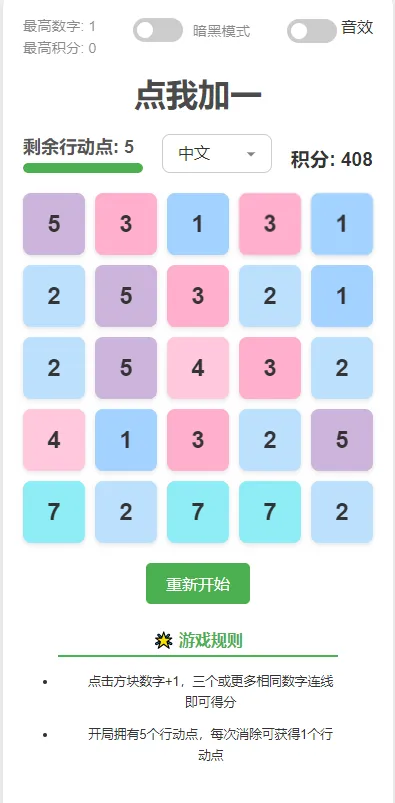
h5游戏-----点我加一 数字消除.
-
写一个在线订阅转换
-
做一个自己要用的域名续费管理平台
-
一个代理工具
-
…
一些技术. 瞎 🐓✍
swagger × —> springdoc √ 调试 —> idea + httpclient 压测 —> jmeter
ModHeader
ideavim
1.设置相对行号.
2.(这个插件要生效的话,需要确保安装了纯英文键盘(语言中添加english(us)就可以了)(win + 空格 = 切换输入法键盘))安装重启IDEA后,打开任意代码编辑器在normal模式下输入如下两个命令来激活IdeaVimExtension插件
:set keep-english-in-normal : 在normal模式保持英文状态
:set keep-english-in-normal-and-restore-in-insert : 在normal模式保持英文状态,并在回到insert时恢复输入法到原来的状态.例如,编写一段中文注释,用中文输入法写了一段文字,进入normal模式移动光标到下一行,再回到插入模式继续使用中文编辑.
3.对比度不错的亮色主题 --- Bluloco Light、Eva Theme、moegi Theme
随记 ( 乱七八糟
maybe 25/06/12 --- 发现自己已经两年多没有碰过算法题, 今天参加了一场比赛被无情暴打. 感觉是时候捡起来了. ( 复活吧我的 leetcode....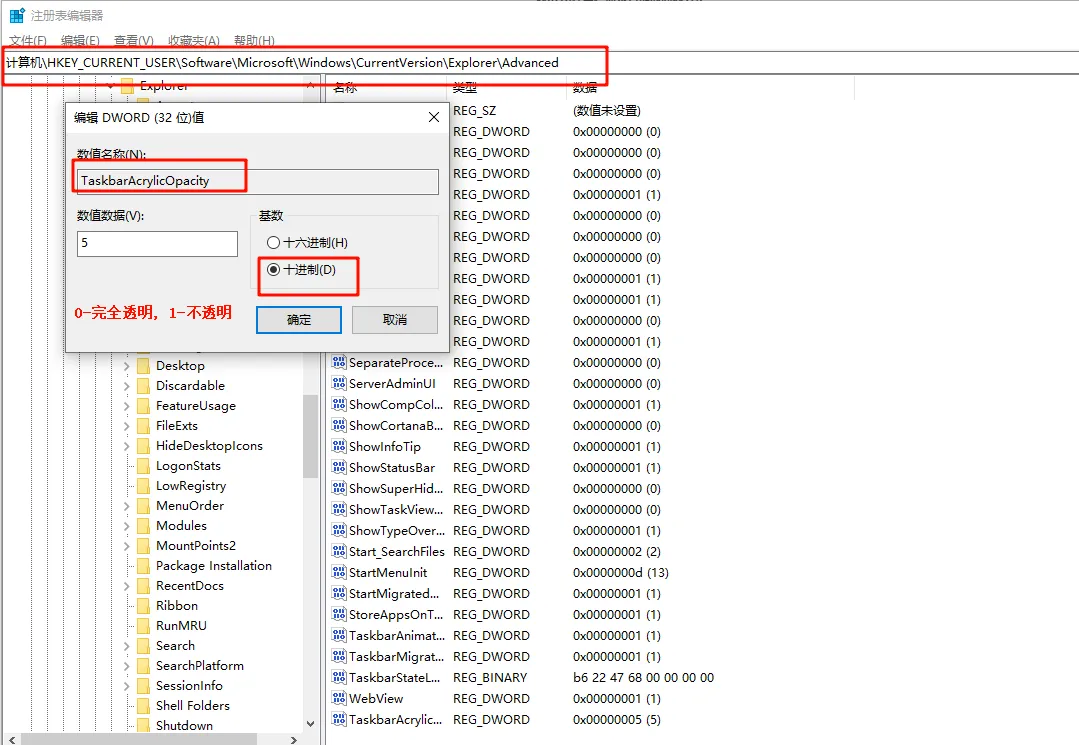
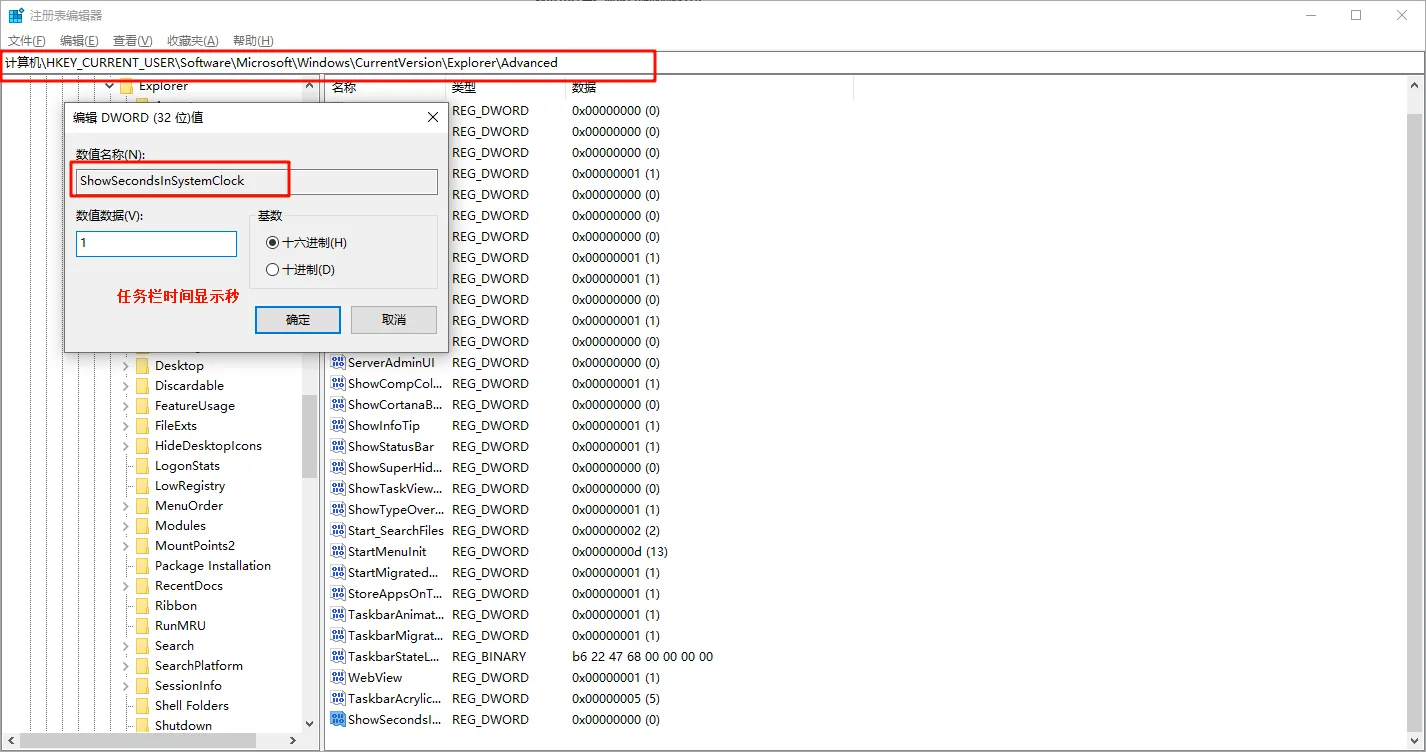
maybe 25/6/23 ----
maybe 25/7/4 刷题有感,回顾了一下以前的一些题解,在几年前的评论的那些人,统一这几年都没有刷题记录了,看来大家都是为了应付某场考试的短时间激情.
古法编程ing. ai辅助学习. 用ai写自己不会的东西,只会cv,感觉人也是废的,只有自己利用ai辅助吸收知识 会运用才行. 不急不躁.
maybe 25/7/6 rust — thread 、spawn、move、scope、mutex、mpsc (多生产者单消费者)、filesystem(os\fs)、clap(终端命令行)、serde || serde_json、reqwest (httpclient)
maybe 25/8/1 windows 终端 https://github.com/starship/starship
vscode == error lens\better comments\markdown image\todo tree\astro\material icon theme
maybe 25/8/10
mac 终端
  echo $SHELL
  /bin/bash

  vim .bash_profile
  source ./.bash_profile

  function proxy_on() {
    export http_proxy=http://127.0.0.1:7897
    export https_proxy=$http_proxy
    echo -e "终端代理已开启。"
  }

  function proxy_off(){
      unset http_proxy https_proxy
      echo -e "终端代理已关闭。"
  }

  # 文件夹颜色区分开启
  export CLICOLOR=1
  export LSCOLORS=ExFxBxDxCxegedabagacad
maybe 25/8/14 基础语法太拉了.. timeline 两个月时间
maybe 25/8/16 旧的编译器 —> 编译新的编译器 --- 自举流程.
maybe 25/8/18
shell color settings
# ======= windows 下  ============
# git ./etc/bash.bashrc
  #打开注释
  eval "$(dircolors -b /etc/DIR_COLORS)"

# 一行显示  --- 然后重启 git bash
# PS1='\u@\h:\w\$ '
# 用户名绿色,主机名蓝色
# PS1='\[\e[32m\]\u\[\e[0m\]@\[\e[34m\]\h\[\e[0m\]:\w\$ '

# @ 用黄色显示、用户名绿色、主机名蓝色
# PS1='\[\e[32m\]\u\[\e[0m\]\[\e[33m\]@\[\e[0m\]\[\e[34m\]\h\[\e[0m\]:\w\$ '

# 统一绿色
# PS1='\[\e[32m\]\u@\h\[\e[0m\]:\w\$ '

# 经典三色(用户绿 + @黄 + 主机蓝)
PS1='\[\e[32m\]\u\[\e[0m\]\[\e[33m\]@\[\e[0m\]\[\e[34m\]\h\[\e[0m\]:\[\e[36m\]\w\[\e[0m\]\$ '

# git ./etc/DIR_COLORS
# 改 ls 文件夹颜色

# -------------------------------------------------------------
# 30=black 31=red 32=green 33=yellow 34=blue 35=magenta 36=cyan 37=white
# Background color codes:
# 40=black 41=red 42=green 43=yellow 44=blue 45=magenta 46=cyan 47=white
#NORMAL 00	# no color code at all
#FILE 00	# regular file: use no color at all
RESET 0		# reset to "normal" color
DIR 01;35	# directory
# -------------------------------------------------------------


# ======= linux 下  ============
root@xxx-xxx-xxxx:/xxx/xxxxx# vim ~/.bashrc
root@xxx-xxx-xxxx:/xxx/xxxxx# cat ~/.bashrc
# ~/.bashrc: executed by bash(1) for non-login shells.

# Note: PS1 and umask are already set in /etc/profile. You should not
# need this unless you want different defaults for root.
# PS1='${debian_chroot:+($debian_chroot)}\h:\w\$ '
# umask 022

# You may uncomment the following lines if you want `ls' to be colorized:
 export LS_OPTIONS='--color=auto'
 eval "$(dircolors)"
 alias ls='ls $LS_OPTIONS'
 alias ll='ls $LS_OPTIONS -l'
 alias l='ls $LS_OPTIONS -lA'
#
# Some more alias to avoid making mistakes:
# alias rm='rm -i'
# alias cp='cp -i'
# alias mv='mv -i'
#

# 经典三色(用户绿 + @黄 + 主机蓝)
PS1='\[\e[32m\]\u\[\e[0m\]\[\e[33m\]@\[\e[0m\]\[\e[34m\]\h\[\e[0m\]:\[\e[36m\]\w\[\e[0m\]\$ '